ATP Dashboardの新機能:MCP対応✨
直近、ほとんど機能を追加できていなかったATP Dashboardですが、MCPに対応しました。お使いのツールに設定して使ってみてください。
設定方法
Claude
Plain Text
{
  "mcpServers": {
    "atpdashboard": {
      "command": "npx",
      "args": [
        "-y",
        "mcp-remote",
        "https://dashboardapi.usounds.work/api/mcp"
      ]
    }
  }
}
Codex
Plain Text
[mcp_servers.atpdashboard]
command = "npx"
args = ["-y", "mcp-remote", "https://dashboardapi.usounds.work/api/mcp"]
Gemini
Plain Text
{
  "mcpServers": {
    "atpdashboard": {
      "httpUrl": "https://dashboardapi.usounds.work/api/mcp"
    }
  }
}
使い方
use atpdashboardでツールを認識させたうえで、下記のような言葉を投げかけてみてください
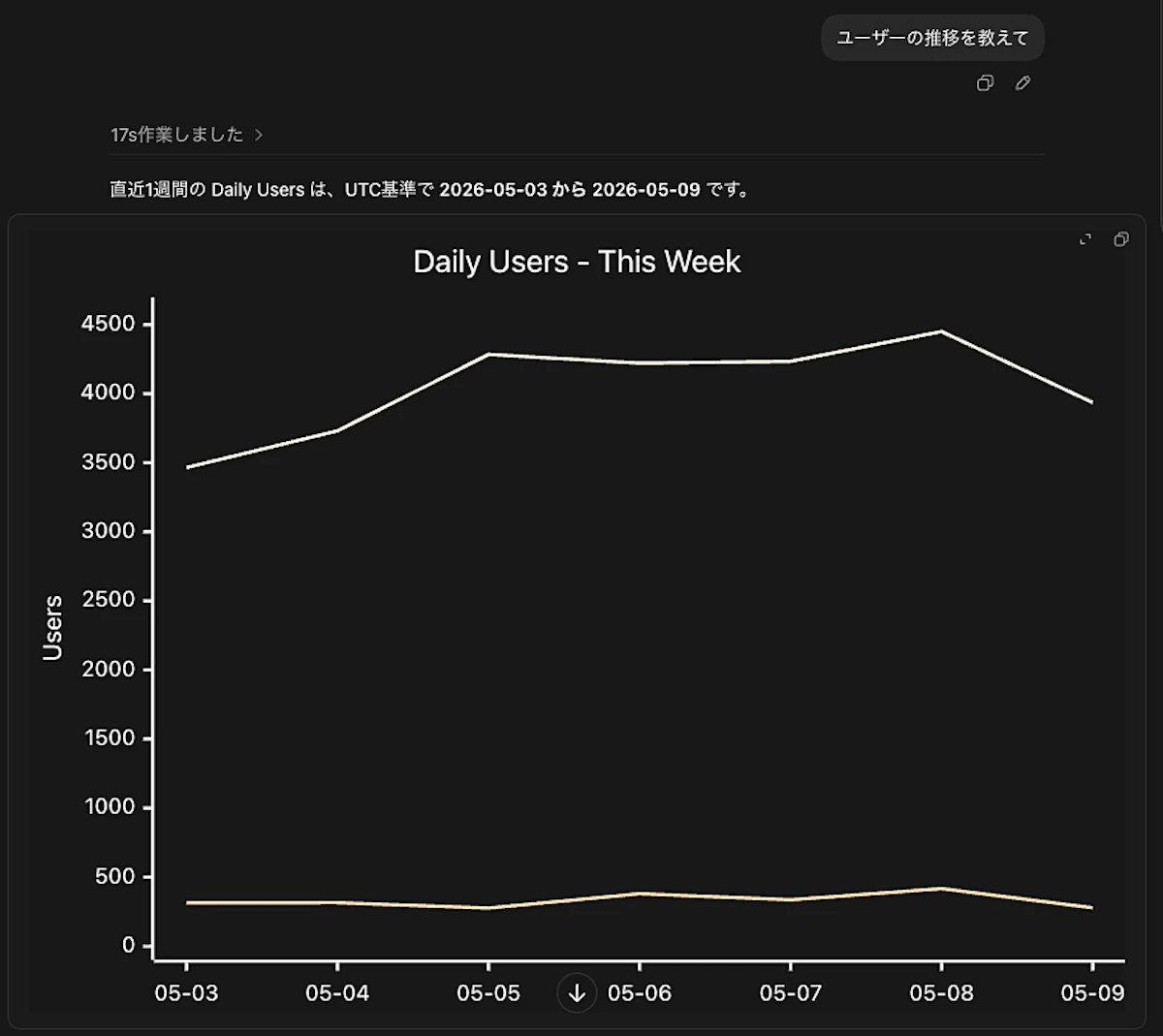
ユーザー数の推移を教えて
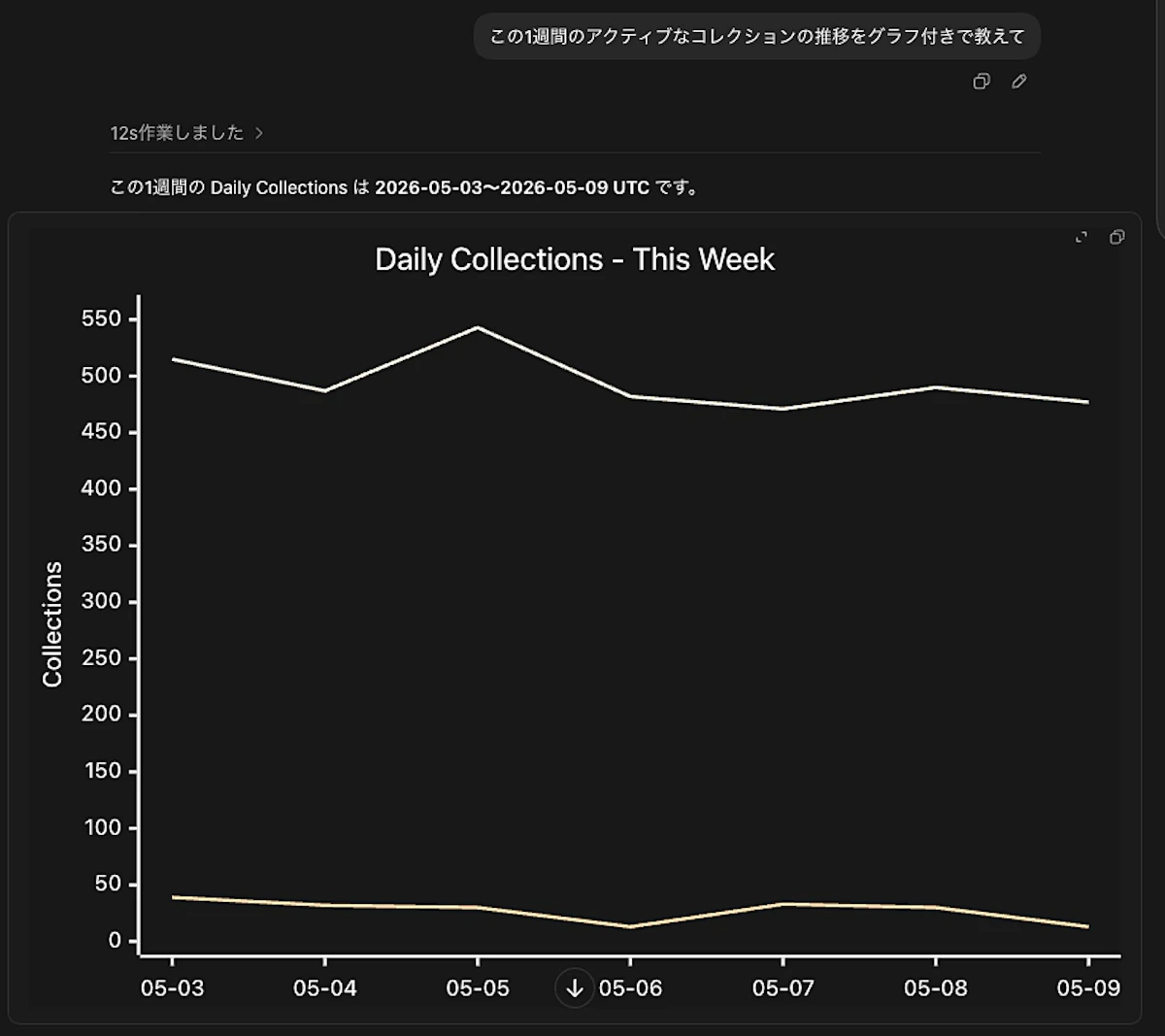
7日間のコレクションの推移を教えて
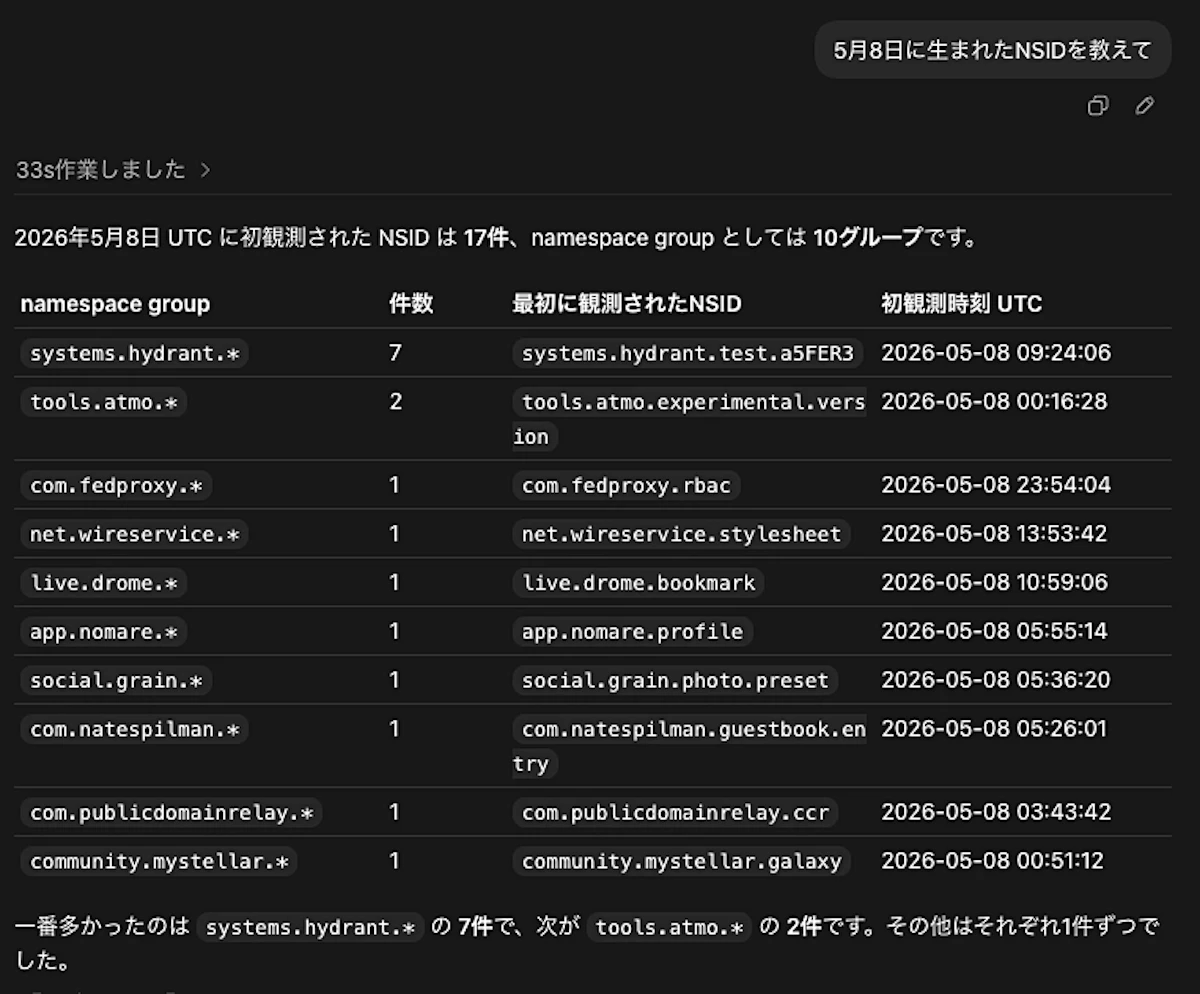
5月8日に生まれたNSIDを教えて
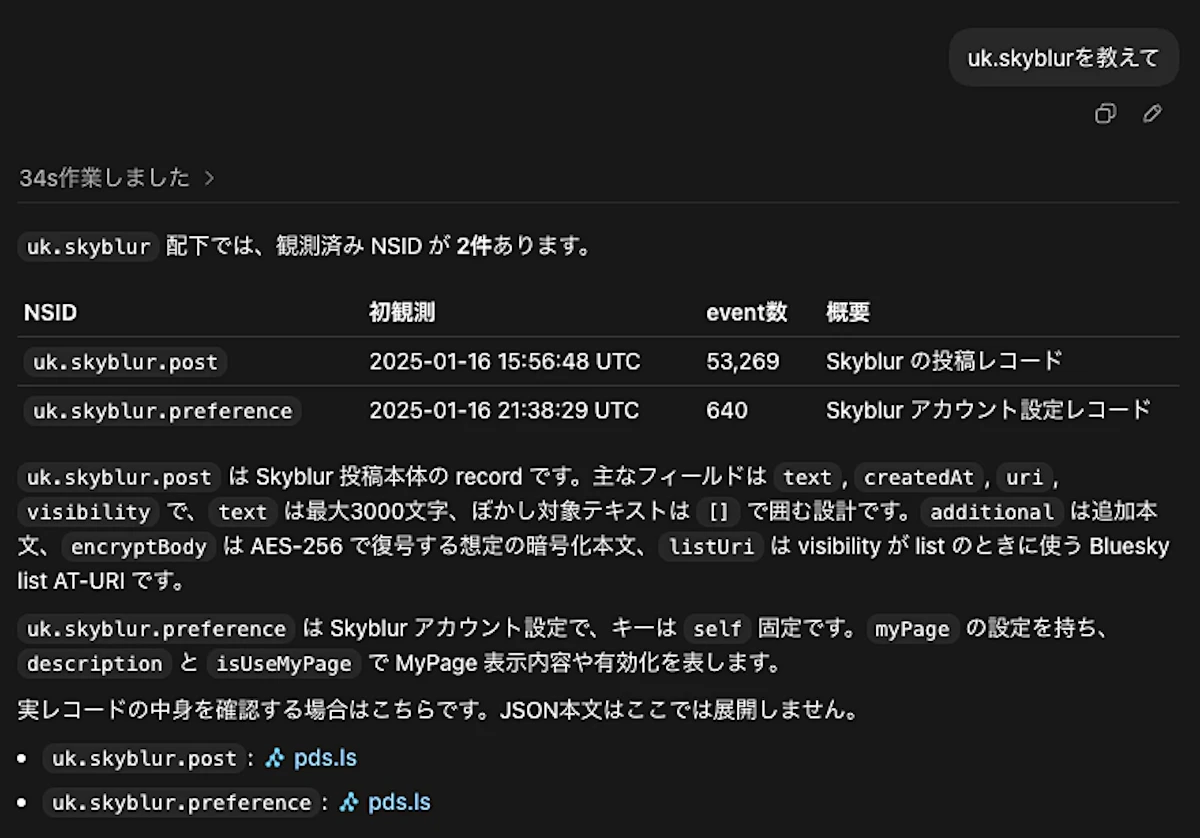
uk.skyblurについて教えて